




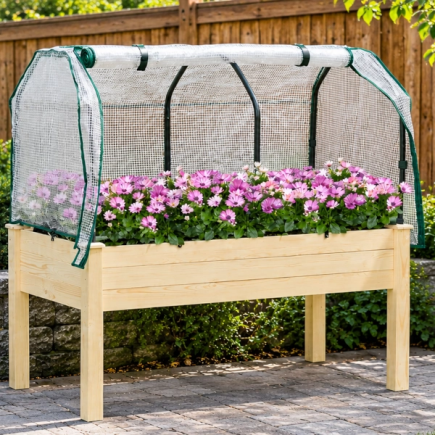









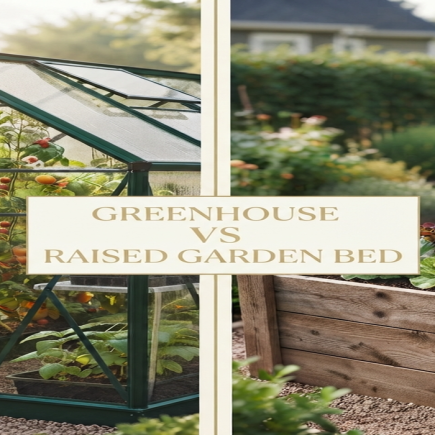





The Outsunny Galvanized Raised Garden Bed with Trellis is designed for growing climbing plants, vegetables, and decorative vines. Featuring a sturdy metal planter box and integrated trellis panel, this unit promotes vertical plant growth while ensuring proper soil drainage.
Estimated Assembly Time: 1 Hour
Recommended People: 2 Adults
Parts and Hardware List
Parts List
| Part No. | Name | Quantity |
| A | Trellis Panel | 1 |
| B | Planter Base Panel | 1 |
| C | Planter Side Panels | 2 |
| D | Planter Front Panel | 1 |
| E | Planter Back Panel | 1 |
| F | Trellis Side Rails | 2 |
| G | Trellis Support Poles | 2 |
Hardware List
| Hardware | Quantity | Description |
| J | 12 | Short Screws (M6×12) |
| K | 16 | Long Bolts (M6×35) |
| L | 4 | Nuts |
| M | 1 | Wrench |
| N | 1 | Allen Key |
Safety Information
- Assemble on a flat, stable surface.
- Do not fully tighten bolts until the frame is aligned.
- Keep children and pets away during assembly.
- Wear gloves to protect hands from sharp metal edges.
- Ensure all bolts are tightened securely before use.
Step-by-Step Assembly Instructions
When assembling your Outsunny Galvanized Raised Garden Bed with Trellis, follow the steps carefully to ensure a smooth and hassle-free assembly process.
Step 1: Attach the Trellis Panel to the Trellis Support Poles
Parts Used:
- A: Trellis Panel (x1)
- G: Trellis Support Poles (x2)
- F: Trellis Side Rails (x2)
Hardware Used:
- K: Long Bolts (M6×35) (x4)
- N: Allen Key (x1)
Instructions:
- Place the Trellis Panel (A) on a flat surface, ensuring the grid pattern is facing up.
- Position the Trellis Support Poles (G) along the sides of the Trellis Panel (A).
- Insert the Trellis Side Rails (F) between the Trellis Support Poles (G) and the Trellis Panel (A), as shown in the image, ensuring they are aligned with the holes.
- Insert the Long Bolts (K) through the aligned holes to secure the connection.
- Tighten the bolts using the Allen Key (N), ensuring the connection is firm but leaving some room for adjustment in the next steps.
- Do not fully tighten the bolts at this stage to allow later adjustments.
Step 2: Attach the Planter Back Panel to the Frame
Parts Used:
- E: Planter Back Panel (x1)
- A: Trellis Panel (x1)
Hardware Used:
- J: Long Bolts (M6×40) (x4)
- L: Nuts (M6) (x4)
- M: Wrench (x1)
- N: Allen Key (x1)
Instructions:
- Lay the trellis frame flat on a clean surface.
- Place the Planter Back Panel (E) at the bottom of the trellis frame, ensuring all holes are fully aligned.
- Insert the Bolts (J) through the aligned holes of the Planter Back Panel (E) and the frame.
- Secure the bolts by attaching M6 Nuts (L) to the ends of each bolt.
- Use the Allen Key (N) to tighten while using the Wrench (M) to hold the nuts steady.
- Tighten fully, ensuring the Planter Back Panel (E) is securely attached to the frame.
Step 3: Attach the Planter Base Panel to the Frame
Parts Used:
● B: Planter Base Panel (x1)
Hardware Used:
- K: Long Bolts (M6×35) (x2)
- L: Nuts (M6) (x2)
- N: Allen Key (x1)
Instructions:
- Slide the Planter Base Panel (B) horizontally into the frame at the bottom of the planter box section, aligning the holes with the pre-drilled mounting points.
- Insert the Long Bolts (K) through the aligned holes of the Planter Base Panel (B) and the frame.
- Tighten using the Allen Key (N), do not fully tighten yet to allow alignment adjustments.
- Leave slight room for final adjustment in later steps.
Step 4: Attach the Planter Side Panels to the Frame
Parts Used:
● C: Planter Side Panels (x2)
Hardware Used:
- J: Long Bolts (M6×40) (x4)
- L: Nuts (M6) (x4)
- N: Allen Key (x1)
Instructions:
- Position the Planter Frame with the Trellis Panel (A) upright and stable on a flat surface.
- Attach the Planter Side Panels (C) to the bottom of the Trellis Panel frame, aligning them with the Planter Base Panel (B).
- Align the holes of the Planter Side Panels (C) with the holes on the base frame of Trellis Panel (A) as shown in image.
- Insert the Long Bolts (J) through the aligned holes in the Planter Side Panels (C).
- Check for any wobble or looseness and re-tighten as needed.
- Use the Allen Key (N) to tighten the bolts, do not fully tighten the bolts yet to allow adjustments in the next steps.
Step 5: Attach the Planter Base Panel to the Frame
Parts Used:
● B: Planter Base Panel (x1)
Hardware Used:
- K: Long Bolts (M6×40) (x4)
- L: Nuts (M6) (x4)
- N: Allen Key (x1)
Instructions:
- Stand the frame upright on a flat surface.
- Position the Planter Back Panel (E) at the rear of the frame, aligning the holes with the pre-drilled mounting points.
- Insert the Long Bolts (K) through all remaining aligned holes of the Planter Base Panel (B) and the frame.
- Secure the bolts by attaching Nuts (L) to the ends of the bolts.
- Fully tighten all Long Bolts (K) using the Allen Key (N), ensuring the Planter Base Panel (B) is firmly and evenly secured.
- Do not fully tighten the bolts at this stage to allow for adjustments in the next steps.
Step 6: Attach the Planter Front Panel to the Frame
Parts Used:
● D: Planter Front Panel (x1)
Hardware Used:
- J: Long Bolts (M6×40) (x4)
- L: Nuts (M6) (x4)
- N: Allen Key (x1)
Instructions:
- Position the Planter Front Panel (D) at the front of the planter box, aligning the holes with the pre-drilled mounting points.
- Insert the Bolts (J) through the aligned holes of the Planter Front Panel (D) and the frame.
- Attach Nuts (L) to the ends of the bolts.
- Tighten the bolts securely using the Allen Key (N) to attach the Planter Front Panel (D) firmly to the structure.
Step 7: Final Tightening – Secure All Connections
Parts Used:
● B
Hardware Used:
- K: Long Bolts (M6×40) (x2)
- L: Nuts (M6) (x2)
- N: Allen Key (x1)
Instructions:
- Place the Raised Garden Bed on a flat surface vertically and attach the Base Panel (B) to the Front Panel (D) using two Long Bolts (K).
- Using the Allen Key (N), fully tighten all Long Bolts (K), starting from the top of the trellis frame and working down to the planter box base.
- Fully tighten all the nuts at this stage and ensure all parts are fitted properly.
Step 8: Assembly Complete
Your Outsunny Galvanized Raised Garden Bed with Trellis is now assembled.
Ready for Use:
- Place the planter on a level, firm surface.
- Add soil and begin planting climbing plants, vegetables, or decorative vines.
Usage Guidelines
- Place the planter on level ground for optimal stability.
- Ensure proper drainage to prevent waterlogging.
- Adjust soil levels as necessary and ensure the plants’ roots have enough room to grow vertically.
You can also download the official Outsunny Galvanized Raised Garden Bed with Trellis assembly manual (PDF) for reference.
FAQs
Check the surface where the planter is placed. If the ground is uneven, consider adding small levelers under the legs or adjusting the soil inside to achieve balance.
Ensure the bolts are properly aligned before tightening. If the bolts are still difficult to tighten, apply light pressure with the Allen Key, ensuring they fit into place before fully tightening.
Yes, but it’s recommended to lift it carefully by the base, avoiding dragging it, which could cause the frame to become misaligned or damage the surface.