













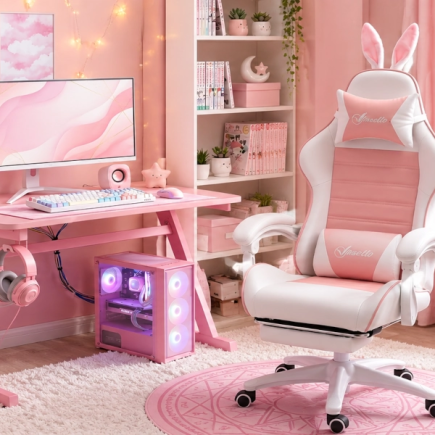











Most people buy a gaming desk backwards. They pick a size that fits the wall, check that it looks good in photos, and assume the rest works out. Then the monitor sits too low, the cables pile up on the floor, and the surface sways on every mouse flick. None of that appears on a spec sheet. Here is what does.
1. Measure Yourself, Not Just the Room
Sit in the chair you actually game in. Feet flat, back against the backrest, elbows bent to roughly 90 degrees. The distance from the floor to the underside of your forearm is your ideal seated desk height.
Most adults land between 62 cm and 75 cm, while the standard desk height is 73 cm to 76 cm (29 to 30 inches). If your number falls below that, you do not need a different desk. Raise your chair until your elbows line up, then add a footrest. That fixes the fit on any fixed height desk.
Then Measure the Room: Usable wall width, 60 cm to 75 cm of clearance behind the desk so you can push back and stand, and the distance to the nearest power outlet.
2. Get the Size Right
Two numbers matter: how wide the desk is, and how deep it is. The minimum is what you can live with in a tight space. The comfortable size is what you want if the room allows it.
Width depends on how many screens you have:
| Your Setup | Minimum | Comfortable |
| One monitor | 36 inches | 47 inches |
| Two monitors | 55 inches | 60 inches |
| Three monitors, or streaming | 65 inches | 72 inches |
| Two people sharing | 78 inches | 90 inches |
Below the minimum you start running out of room to move the mouse. If you play shooters at low sensitivity, go for the wider size or use a keyboard without a number pad.
Depth depends on how big your screen is:
| Your Screen | Minimum | Comfortable |
| 24 inch | 20 inches | 24 inches |
| 27 inch | 24 inches | 27 inches |
| 32 inch, curved, or ultrawide | 27 inches | 30 inches |
Bigger screens need two things, more distance from your eyes to be comfortable, and a deeper stand that eats into the surface before you put anything else down. That is why the depth goes up with the screen size.
A shallow desk puts the screen close to your face. A monitor stand solves this, because it lifts the screen and pushes it back at the same time. Whatever depth you pick, leave a hand’s width of empty surface in front of the keyboard so your wrists have somewhere to rest.
3. Shape: Rectangular, L-Shaped, or Curved
Shape decides how much of the desk you can actually reach, and how well it fits the room you have. Each layout suits a different situation.
- Rectangular: Simplest to place, easiest to reconfigure, and the cheapest per usable centimetre.
- L-Shaped: Useful for filling a corner, running more than two monitors, or separating gaming from work. The long leg holds your setup while the short leg takes the laptop or console.
- Curved Front: The cutout brings the near edge closer to your body, supporting your forearms and shortening the reach to a central keyboard.
Reversible designs, where the short leg assembles on either side, let you move the desk to a different wall later without replacing it.
4. Check the Frame, Not the Finish
Every desk has a frame, and it carries the weight of everything you put on top. The listing will name the material, and that one word tells you most of what you need.
- Steel: The strongest of the common options, and the one to look for. It holds its shape under a loaded desk.
- Other Metal: Lighter and cheaper than steel, but quality varies a lot between products.
If a listing does not name the frame material, assume it is not steel.
5. Surface Material and Thickness
| Material | Strengths | Weaknesses |
| Engineered wood with laminate | Affordable, smooth, scratch resistant | Swells at unsealed edges if liquid sits |
| Solid wood | Rigid, ages well | Heavier and costs more |
| Tempered glass | Looks clean, wipes down easily | Screeches under a mouse, needs a full mat |
| Carbon fibre texture | Tracks a mouse well when new | Usually vinyl over board, wraps can lift |
Engineered wood with a laminate finish is the most common surface for good reason. It is stable, consistent, and takes a mouse well. Thickness separates a good board from a flimsy one, since thin panels sag on wide spans while thicker panels hold flat under load.
6. Screen Height, Monitor Stands, and Keyboard Trays
The top of your screen should sit at or slightly below eye level, so your gaze drops a few degrees rather than tilting your neck up. A 27 inch monitor on its own stand is usually close to right, while smaller screens and laptops sit too low.
- Monitor Stand: Lifts the screen about 4 inches and frees the space underneath. Only useful if your screen is low, since raising it too far is worse than leaving it slightly low.
- Monitor Arm: Check the back edge first, since most clamps need 60 mm to 80 mm of clear flat overhang and a back panel will block them.
- Keyboard Tray: Drops your hands below desktop height, which helps if the desk is too tall and you cannot lower your chair further.
7. Built-In Power, USB Ports, and Cable Management
A desk with its own outlets and USB ports lets your monitor, PC, lamp, and charger plug in at desk level instead of running to a floor strip. Three things to check:
- Outlets and Ports: How many of each, and whether the USB ports are for charging only or also carry data.
- Cord Length to the Wall: How far from a socket you can place the desk.
- Cable Routing: Whether the desk has holes, channels, or hooks to guide cables down the back instead of leaving them loose.
Cable management is the most commonly regretted omission in a setup, and it costs nothing to check before you buy.
8. Storage and Lighting
These two are usually treated as extras, but one keeps your desk usable and the other decides how it feels to sit at after dark.
Storage: Drawers and shelves are the difference between a desk you tidy and a desk you excavate. Soft drawers suit controllers and headsets, while fixed shelves suit games, consoles, and speakers. Count the peripherals currently living on your floor and buy for that number.
Lighting: RGB does not improve performance, and that is fine. Where it helps is contrast, since a lit surface or a glow behind the monitor softens the gap between a bright screen and a dark room. Look for adjustable brightness so you can dim it rather than only switch it off.
9. Weight Capacity
Gaming gear is heavier than it looks. A monitor is 5 kg to 7 kg, a desktop PC is 15 kg to 20 kg, and a full setup often reaches 50 kg. Add up what will sit on the desk and pick one rated comfortably above that.
Two things to watch in the listing. The weight capacity shown is usually the total for the whole desk, and the surface on its own holds less than that, often around half. Shelves and drawers hold far less again, so check their rating before putting a monitor on one.
Before You Buy
- Measure your seated elbow height, then your wall width plus chair clearance.
- Match the width to how many screens you have.
- Match the depth to how big your screen is.
- Check the frame material, and look for steel.
- Add up your gear and compare it against the surface rating, not the total.
- Decide whether you need a monitor stand, a monitor arm, or a keyboard tray.
- Count the outlets, USB ports, drawers, and shelves you will actually use.
- Check the shape suits your room, and whether an L-shaped desk is reversible.
The Right Desk Lasts Years
A desk is the one part of a setup you cannot fix with an upgrade later. Get the size, the frame, and the weight rating right, and everything you put on top of it has a solid base for years. Spend ten minutes measuring before you buy, and you will not be shopping for a replacement next year.
Know what you are looking for now? Browse the gaming desk range at Aosom Canada to compare sizes, shapes, and built-in features like power outlets, monitor stands, and storage.
FAQs
Usually not. Most desk USB ports run at 5V and around 2A, roughly 10 watts, which suits a phone, headset, or controller. Laptops need a USB-C port with far higher wattage, so check the port type before relying on it.
It can. Desks with a hutch, back panel, or raised shelf sit flush to the wall and cover anything behind them. Check where your socket sits at wall height, and choose a desk with a built-in power hub if it lands behind the shelf.
It can at night. A high gloss surface reflects ceiling lights and monitor glow straight back at you, which is tiring over long sessions. A matte or textured finish scatters that light instead.
No. The short leg can jut out from a flat wall and act as a divider or a side surface. Look for a reversible model, which lets you assemble that leg on either side and swap it if you move the desk later.
Sometimes. A built-in stand or shelf usually sits along the back edge, which is exactly where an arm clamp needs to grip. If the shelf lifts off, you can use an arm. If it is fixed, you are stuck with the stand.