
























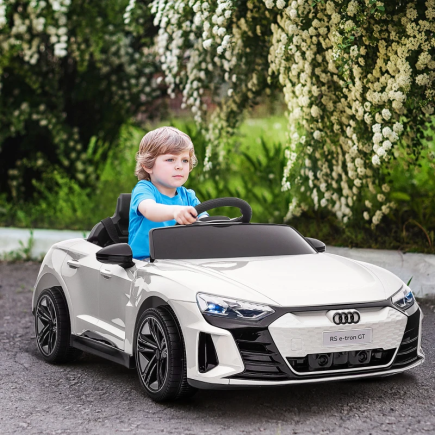


Connecting a remote control to a kids’ ride-on car is a common setup task after assembly, battery charging, or replacing the remote batteries. While designs vary slightly between models, most modern ride-on cars use 2.4G remote control systems that follow the same pairing process.
This guide shows exactly how to connect a remote control to a kids’ ride-on car, using clear steps that work for most 6V and 12V models. Each section explains what the step does, what to check, and how to avoid the most common pairing mistakes.
Quick Pairing Steps (Snippet-Friendly Overview)
Follow these steps in order to pair the remote correctly:
- Turn the ride-on car off
- Insert fresh batteries into the remote
- Hold the pairing button (or Forward + Reverse)
- Wait for the remote LED to flash
- Turn the ride-on car on
- Wait for the LED to turn solid
If the LED stays solid, the remote is successfully connected.
Step 1: Turn the Ride-On Car Off Completely
Before pairing begins, the ride-on car must be fully powered down. This allows the internal receiver to reset and accept a new signal from the remote.
Skipping this step is one of the most common reasons pairing fails, especially if the car was recently used.
What to check before continuing
- Power switch set to OFF
- Key removed (if included)
- Dashboard lights off
- Sound effects off
- Foot pedal released
If the car was just driven, wait 10–15 seconds after turning it off to allow the control unit to reset fully.
Step 2: Install Fresh Batteries in the Remote Control
The remote needs stable power to enter pairing mode. Weak batteries may still light the LED but often fail during the pairing process.
Starting with fresh batteries eliminates many connection problems before they begin.
Battery checklist
- Use new AAA batteries (most 2.4G remotes use AAA)
- Do not mix old and new batteries
- Match + and – polarity markings
- Close the battery cover firmly
If the LED looks dim, flickers, or shuts off while holding buttons, replace the batteries before moving on.
Step 3: Put the Remote Control Into Pairing Mode
Pairing mode allows the remote to actively search for the ride-on car. Without this step, the car and remote will not connect.
Different remotes use different button layouts, but the pairing behavior is consistent across most models.
Common ways to enter pairing mode
Use one method only:
- Press and hold the center button
- Press and hold the wireless/signal icon button
- Press and hold Forward and Reverse together
- Hold for 2–4 seconds.
What to look for
- LED begins flashing rapidly
- Flashing confirms pairing mode is active
If the LED does not flash, release the buttons and try again with a firm press.
Step 4: Turn the Ride-On Car On While the LED Is Flashing
This step depends on correct timing. The car must be turned on while the remote LED is flashing, not before and not after it stops.
Keeping the remote close improves signal recognition.
Correct pairing sequence
- Remote LED flashing
- Turn the ride-on car on
- Keep the remote within 1–3 meters
- Do not press pedals or steering buttons
Signs pairing was successful
- LED stops flashing
- LED stays solid
- Remote buttons respond immediately
If the LED continues flashing, power everything off and repeat this step.
Step 5: Test All Remote Functions
Testing confirms that pairing is completed correctly and ensures safe operation before a child uses the car.
Take a moment to check every function.
Recommended test order
- Forward movement
- Reverse movement
- Left steering
- Right steering
- Brake / “P” button
- Speed adjustment (“S” button)
Each input should trigger an immediate response. If any function fails, repeat the pairing process from Step 3.
Step 6: Set the Car to Remote Control Mode
Many ride-on cars support both child-driven and remote-controlled modes. If the car remains in manual mode, the remote will not move it even if pairing is complete.
This step is often overlooked during setup.
Check for a mode selector
- Dashboard switch
- Key-based selector
- Button near the steering wheel
Set the mode to:
- REMOTE
- PARENT
- RC MODE
Once set correctly, the remote will control steering and movement.
Understanding the Remote LED Indicator
The LED light provides quick feedback during setup and troubleshooting.
Common LED signals
- Fast flashing: pairing mode active
- Solid light: paired successfully
- No light: batteries empty or remote fault
- Slow or uneven flashing: weak batteries or interference
A solid LED confirms the connection is complete.
Speed Settings Explained
Most 12V ride-on cars include three adjustable speed levels, controlled using the “S” button on the remote.
This feature allows parents to adjust speed based on age, confidence, and environment.
Typical speed indicators
- 1 LED: low speed
- 2 LEDs: medium speed
- 3 LEDs: high speed
Speed usually ranges from 1.86–3.1 mph (3–5 km/h). If the car feels slow after pairing, check the speed setting before troubleshooting further.
Common Pairing Problems and Practical Fixes
Even when steps are followed correctly, small issues can still interfere with pairing.
Remote pairs but the car does not move
- Car still in manual mode
- Speed set to lowest level
- Motor wires under the seat loose
Remote disconnects during use
- Interference from nearby ride-on cars
- Strong electronic signals nearby
- Re-pair in an open area
Pairing fails repeatedly
- Remote batteries weak
- Car battery voltage low
- Steps completed out of order
Battery and Power Considerations
Most modern ride-on cars use a 12V 7Ah battery, providing up to 60 minutes of playtime, depending on speed, surface, and load.
Battery condition affects both driving performance and pairing reliability.
Helpful power tips
- Fully charge before first use
- Avoid pairing while charging
- Low battery levels can block pairing
Many models also include rear wheels and a pull handle, making transport easier when the battery runs low.
For Electric Toy Cars, proper pairing is more than a setup step; it ensures smooth steering, reliable braking, and consistent speed control during every ride. Keeping the batteries charged, avoiding signal interference, and re-pairing only when necessary will help maintain stable performance over time.
FAQs
Most 2.4G ride-on car remotes are designed for one-to-one pairing only. Trying to control two cars usually causes signal conflicts or disconnects. Always pair each remote to a single car for stable and safe operation.
This usually points to a drive circuit or motor connection issue, not pairing. Check motor plugs under the seat and confirm the gear selector is engaged. If wiring is secure, power-cycle the car and test again.
Most remotes reset automatically when batteries are removed for 30–60 seconds. Reinsert fresh batteries and complete the pairing steps from the beginning. This clears stored signals that can block reconnection.
Replacement remotes must match the car’s frequency and control board type. Universal remotes do not work on most branded ride-on cars. Always check compatibility by model number before purchasing.
Outdoor environments can introduce signal interference and voltage drop. Uneven ground also increases motor load, affecting response. Fully charge the battery and test in an open area away from electronics.